


Stop scrolling through saved rings and sending screenshots. Use this 2026 workflow to turn inspiration into a brief. Sort details, document requirements, and review the design before giving approval.
TL;DR
- Balacia custom engagement rings suit couples ready to turn Pinterest inspiration into a clear, personal design brief.
- The Pinterest board to custom engagement ring workflow starts with priorities, not an exact replica request.
- Compare ring settings, document dimensions, and review CAD views before approving a design.
- Keep one current brief so new saved ideas do not silently change an approved decision.
Why this matters
A saved photograph captures a feeling. However, it does not specify a wearable ring. Lighting and scale leave questions about height, band dimensions, and wedding band fit.
Balacia is best for couples who want custom engagement rings guided by a clear design brief. Custom design lets you discuss personal preferences, but it also requires decisions that a photograph cannot make for you.
Use the Custom Ring CAD Design Mockup page as a starting point for discussing a design visualization. Confirm what the proposed service includes before relying on a particular deliverable, revision process, or production schedule.
Before you start
- Gather your materials: Have access to your Pinterest account, the saved ring images, and a document where you can record decisions. Keep the original source information attached to each reference when possible.
- Gather the wearer’s requirements: Record ring size, preferred stone shape, metal preferences, daily activities, and whether the engagement ring needs to sit beside an existing wedding band. Mark anything unconfirmed rather than filling in a guess.
- Catch the hidden conflict: A top-down photograph does not reveal the full setting. Before requesting a low-profile ring that also sits flush with a straight wedding band, ask the jeweler to assess whether those requirements work together in the proposed design.
You do not need a finished technical specification to begin. You do need a clear distinction between what the wearer loves and what still needs professional advice.
Inspiration board setup
- Create a dedicated board. Keep engagement ring references separate from proposal photography, wedding dresses, and general jewelry inspiration. If the ring is a surprise, review the board’s privacy controls before sharing anything.
- Use Pinterest’s Save button selectively. For this workflow, start with 6 reference images rather than transferring every ring you have ever liked. This is an editing exercise, not a limit on your taste.
- Give each reference a job. Record whether you saved it for the center shape, band, side detail, metal color, or overall silhouette. A photograph can contribute one detail without becoming the model for the whole ring.
- Separate preferences from exclusions. Write down what you dislike as explicitly as what you love. For example, liking an oval center does not mean liking the surrounding halo in the same photograph.
- Choose a lead reference. Identify the image that comes closest to the overall direction. Treat the remaining images as supporting notes, not competing instructions.
Expected result: Your board communicates a direction, and each image has a written reason for being there. Someone reading the notes should understand which features matter without guessing from the photographs.
Compare the visual directions
Use this table to describe the design direction, not to decide structural details from an image alone. These are reference styles, not promises about any particular product.
| Reference style | Best for | What it contributes | Trade-off to discuss |
| Solitaire | A center-focused design | A clear view of the main stone and band | Fewer surrounding details to carry a decorative theme |
| Halo | A framed center stone | A defined outline around the center | More small-stone detail to evaluate and maintain |
| Three-stone | A design with side accents | A relationship between center and side stones | More proportions to coordinate across the setting |
If your board includes all these styles, do not ask the jeweler to combine everything automatically. Choose the dominant silhouette first, then decide which supporting details belong with it.
Design brief configuration
- Write the central idea. Start your 2026 design brief with a plain-language description: center shape, overall style, and the feeling you want the ring to convey. Avoid relying on words such as delicate or timeless without explaining what they mean to you.
- Set 3 design priorities. These are your recommended decision categories: essential features, flexible preferences, and details to avoid. Put each request in a category so the jeweler knows where alternatives are welcome.
- Separate stone identity from appearance. Record whether you want a lab-grown or natural diamond. Do not infer origin, grading, or certification from a saved photograph or from another ring’s description.
- Record practical measurements. Ask for proposed band width, band thickness, setting height, and stone dimensions in millimeters. These measurements describe different parts of the ring; one cannot substitute for another.
- Document fit and daily wear. Include glove use, hands-on activities, and wedding-band preferences. Review the ring-size measurement workflow, then confirm the sizing approach with the jeweler before approval.
- Keep the brief to 1 page. Attach the reference images separately, with a short note explaining each. A compact decision sheet makes unresolved questions easier to spot.
Expected result: You have a brief that distinguishes confirmed requirements from requests needing assessment. The document explains what the ring should look like and what it needs to accommodate.
The sequence is simple. Select references, write the brief, and review the design. Approve only after answering open questions. Each stage produces needed information.
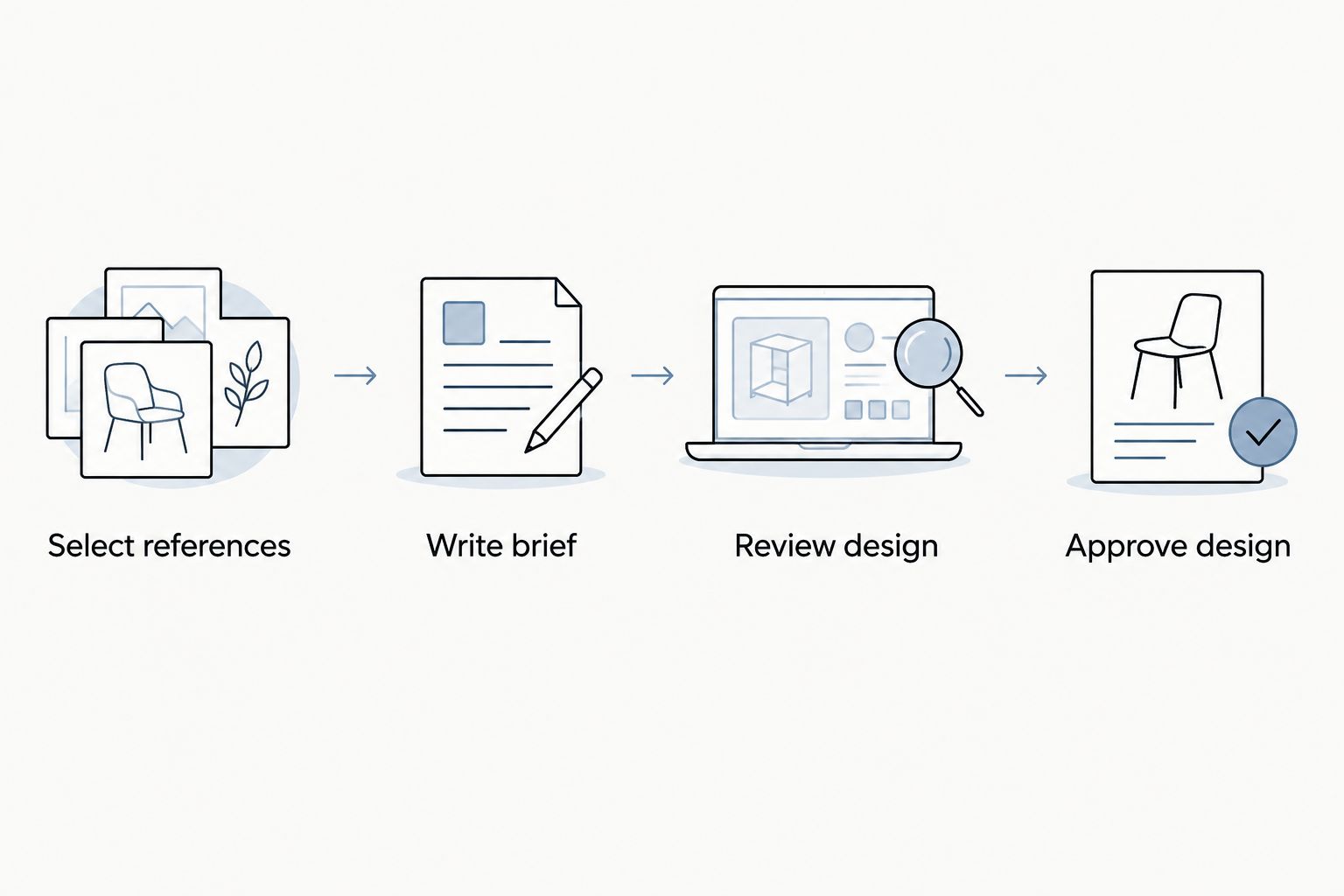
Resolve the brief before treating a design visualization as ready for approval.
Jeweler handoff for your custom engagement ring
- Send the brief and references together. For a Balacia custom engagement ring inquiry, explain which image establishes the overall direction and which images illustrate individual details. Avoid a message containing only a board link.
- Request an assessment, not a replica. Ask which features can work together and which need adjustment. A photograph is a useful reference, but it is not a construction drawing or permission to reproduce someone else’s design.
- Confirm the scope in writing. Ask what design materials you will receive, how revisions are handled, and what counts as approval. Confirm the current process directly rather than assuming that every custom project follows the same steps.
- Resolve dependencies early. If the design depends on a particular stone’s dimensions or an existing wedding band, identify what the jeweler needs before completing the proposal. Do not approve an unspecified substitute by accident.
- Separate target dates from commitments. State the date you need the ring and ask what schedule applies to your project. A proposal date is your requirement, not a confirmed production commitment.
Expected result: You and the jeweler share a written understanding of the design direction, outstanding decisions, and next approval point.
Custom design lets you make deliberate choices for the wearer. The trade-off is participation. you must review details and answer questions. Do not treat the board as a finished specification.
CAD review and approval configuration
- Compare matching views. Review the top, side, and angled views when provided. Use the top view for the outline and stone arrangement; use the side view to discuss height, support, and neighboring-band clearance.
- Check the written specifications. Match the proposed stone identity, metal specification, ring size, and dimensions against the current brief. Ask the jeweler to explain any difference before approving it.
- Request a physical-scale explanation. A large rendering on a screen does not show how large the ring will feel on a hand. Ask for the relevant measurements and a clear explanation of proportions.
- Consolidate revisions. Send one organized response identifying the feature, requested change, and reason. Separate essential corrections from questions so neither gets lost in a long message thread.
- Approve a named revision. Use a dated filename such as Ring brief 2026, with a revision identifier. State which design and specifications you are approving, and ask how subsequent changes would be handled.
Expected result: Your approval refers to an identifiable design and written specifications, not to whichever screenshot was sent most recently.
A CAD rendering is a design communication tool, not a substitute for checking dimensions and specifications. Ask how the visualization relates to the finished piece, including how surface finish and stone appearance are represented.
Update the brief whenever your board changes
An evolving board is useful during exploration; an evolving approval document needs tighter control. For a shared 2026 project, decide which person maintains the current brief and sends consolidated feedback.
| Workflow variant | Best for | Advantage | Limitation |
| Fixed shortlist | A settled design direction | Keeps the request focused | New preferences require a deliberate revision |
| Evolving board | Early exploration together | Allows room to discover preferences | New pins can create conflicting instructions |
- Record the new preference. Explain what the new pin changes rather than forwarding it without context.
- Check the affected decisions. A different center shape, for example, needs discussion about the surrounding setting rather than a simple image swap.
- Update the current brief. Mark the previous instruction as replaced and ask the jeweler whether the change affects completed design work.
Keep exploratory pins separate from approved instructions. Saving a new image does not revise a design unless you communicate and confirm the change.
Troubleshooting
Your board contains conflicting styles
Choose the lead silhouette and move competing ideas into a separate inspiration group. Ask which single feature from each supporting image you actually want; remove references that no longer contribute a clear instruction.
The CAD looks heavier than the saved photograph
Compare dimensions and viewing angles before requesting thinner construction. Ask the jeweler about support versus decoration. Discuss changes without setting an unsupported minimum thickness.
The wedding band does not sit as expected
Request a side-view discussion using the intended wedding band’s dimensions or the actual band where practical. Decide whether your priority is a particular engagement-ring profile, a close-fitting pairing, or a deliberate gap.
Someone else cannot open the board
Check the board's sharing permissions and recipient access. Send a reference document with images and notes as a fallback. This ensures the consultation does not depend on Pinterest.
The latest messages contradict the brief
Pause approval and consolidate the decisions into a new revision. Ask everyone involved to use that document; do not expect the jeweler to resolve contradictory preferences scattered across messages.
Customize your workflow
For a surprise proposal, separate known preferences from assumptions. Focus on the wearer's established tastes. Involve them in decisions affecting fit or daily comfort.
For couples designing together, divide tasks but not final instructions. One person organizes references while the other gathers measurements. Send one agreed brief to Balacia for consistency.
Add a stone-document check before final approval. Match the report to the exact stone. Do not treat a reference image or retailer name as proof of certification.
FAQ
How do I turn a Pinterest board into a custom engagement ring?
Turn your Pinterest board into a written brief identifying the center shape, setting direction, practical requirements, and features to avoid. Send selected references with an explanation of what each image contributes, then review the proposed design and specifications before approval.
How many Pinterest images should I send a jeweler?
Start with 6 carefully selected reference images for this workflow. This is an organizing recommendation, not a jeweler requirement; give each image a specific purpose and choose one lead reference.
Can Balacia help with a custom engagement ring?
Balacia offers custom design options for engagement rings. Confirm the scope, design deliverables, revision process, and project schedule directly before proceeding.
Can a jeweler copy the exact ring in my saved pin?
Use a saved pin as a reference, not as a guaranteed replica request. Ask the jeweler to develop your preferences into a design and assess whether the requested features work together.
Do I need to choose the diamond before reviewing CAD?
Ask the jeweler which stone information is needed for your proposed design. Record the intended stone dimensions and confirm any dependencies before approving the setting.
What should I check before approving a ring CAD?
Check the proposed stone identity, metal specification, ring size, dimensions, and available views against your current brief. Resolve questions about setting height and wedding-band fit before approving a named revision.
What if I find a better ring idea after approval?
Contact the jeweler before assuming the approved design can change. Explain the new preference and confirm how it affects the work already agreed upon.
Is this workflow useful for a surprise proposal in 2026?
Yes, this 2026 workflow helps organize known preferences while keeping assumptions visible. Verify ring size and daily-wear requirements rather than treating saved photographs as confirmation of fit.
One last thing
Add a line explaining what you do not love about your favorite reference. That small distinction prevents the strongest image on your board from being mistaken for a request to reproduce every detail. The goal is a ring that feels like your relationship, not a photograph you happened to save.